
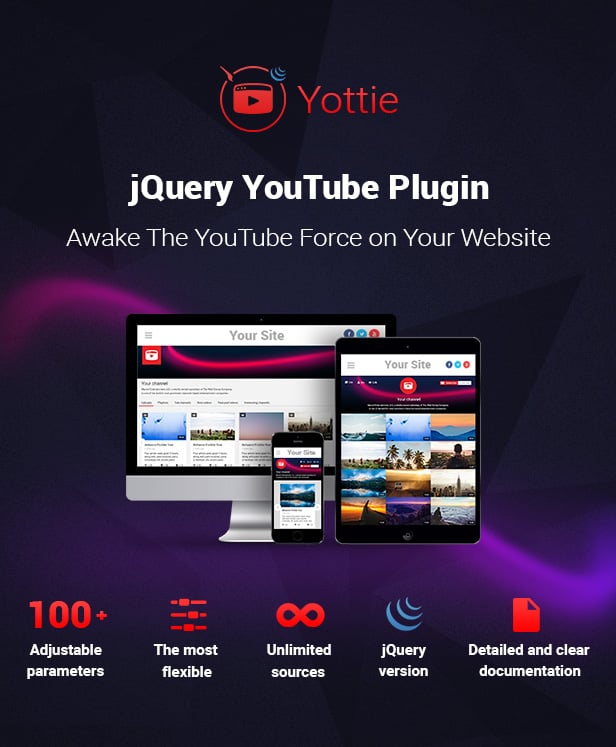
Team Elfsight proudly presents our latest jQuery plugin for creating splendid YouTube channels on any website – Yottie. User-friendly and high quality tool will be a great addition for bloggers, companies and anyone else who strives to attract audience with a video content. Find any spot, add it to your custom group and show everyone your selection.
Have your own YouTube channel? Then you’re welcome to place it in the most beneficial place of your jQuery site. In case of lacking a YouTube channel, create it by yourself with our jQuery YouTube galleryYottie. Control your new channel by customizing main channel info elements. Give a name to your new custom channel, add authentic logo and banner – make everything to inspire your web guests!
Don’t make a break – add our product to your primary web tools list! You will get 100+ adjustable parameters for detailed customization – sources, appearance, location on your website and even more! By the way, Yottie is fully responsive so your audience will be able to enjoy videos from any browsing device.
Oh the YouTube on site’s required
Haven’t you our plugin yet tried?
So grab YouTube plugin today
Let it play! Let it play! Let it play!


What our customers say about Yottie

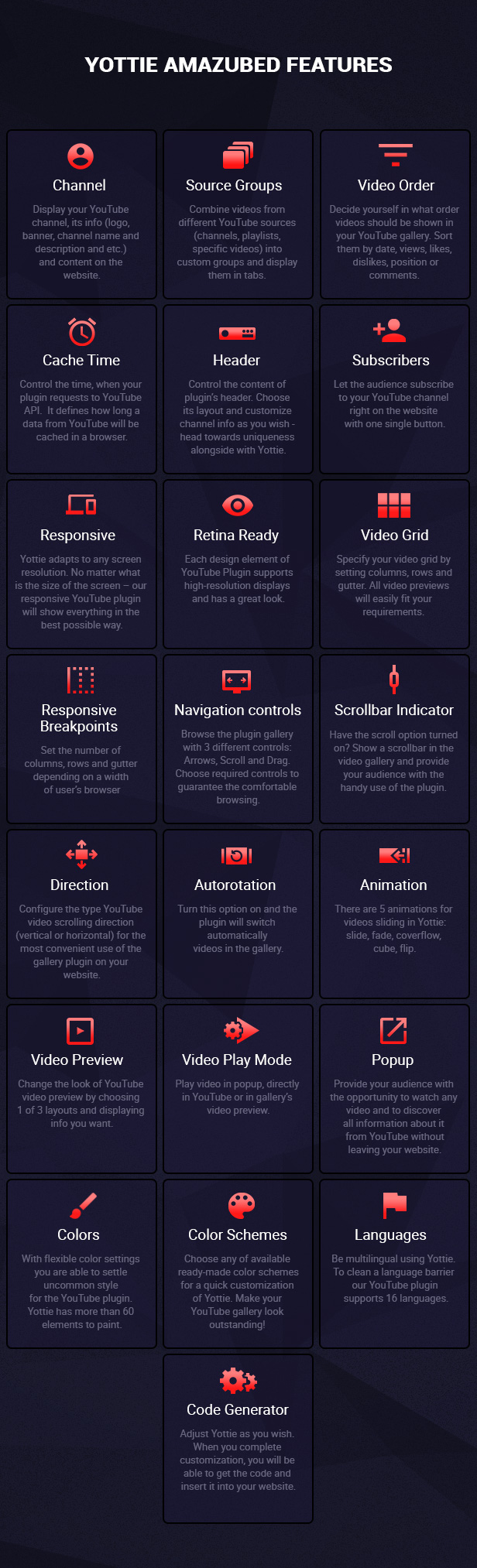
 Â Yottie Amazubed Features
 Yottie Amazubed Features
You’ve already been introduced to key features of our YouTube jQuery plugin Yottie. Let’s reject doubts aside. Now it’s time to get to know to a lot more abilities which our plugin offers you. There are tons of parameters to brag about. Yottie offers you more than 100 customizable features for the best user experience.
Source
- Display your YouTube channel or create a list of desired videos
- Show any YouTube channel on your website
- Add as many videos as you want
- Share spots using different combinations of channels, playlists and single videos
- Just insert URL of the needed source
- Sort your videos using one of 6 available order fields: date, views, likes, dislikes, position, comments
- Display your YouTube videos in a random order
- Define how long a data from YouTube will be cached in a browser
Groups
- Divide videos into custom groups
- Unlimited number of sources in each group
- Name each group yourself
Sizes
- Set width of your YouTube jQuery gallery
- Yottie is responsive and retina ready on any device
- Choose the number of columns and rows in the video gallery
- Settle the gutter between each video preview
Header
- Show or hide the header of your jquery YouTube playlist
- Customize fully header’s appearance
- Choose 1 of 3 header layouts, namely: Classic, Accent, Minimal
- 8 info elements to turn on/off: Logo, Banner, Channel name, Channel Description, Videos counter, Subscribers counter, Views counter, Subscribe button
- Add custom YouTube channel name
- Add custom description about the chosen channel
- Display custom channel logo by pointing its URL
- Insert URL of custom channel banner
User Interface
- 3 navigation controls for smooth browsing in the jQuery YouTube video gallery: Arrows, Scroll, Drag
- Turn on/off Free Mode of video gallery scrolling
- Choose one of 5 available effects of video sliding: slide, fade, coverflow, cube, flip
- Adjust the animation speed of video sliding
- Set horizontal or vertical direction of video sliding
- Specify the time of automatic video sliding by using the auto option
- Adjust the grid size depending on the window width
- Our jQuery YouTube channel supports 16 languages: de, en, es, fr, hr, it, nl, no, pl, pt-BR, sv, tr, ru, hi, zh-HK, ja
Video Preview
- 3 YouTube video layouts: Classic, Cinema, Horizontal
- 8 info elements to turn on/off: Play icon, Duration, Title, Date, Description, Views counter, Likes counter, Comments counter
- Choose 1 of 3 ways to watch YouTube video: in popup, in the video gallery and directly on YouTube
Popup
- Switch on/off autoplay while opening in popup
- 12 info elements to turn on/off: Title, Channel logo, Channel name, Subscribe button, Views counter, Likes counter, Dislikes counter, Likes ratio, Date, Description, Description more button, Comments
Style
- Color Header, Groups, Content, Video and Popup as you wish
- In total Yottie has customizable color of 60 UI elements
- Don’t want to spend time painting the plugin yourself? Use one of our ready-made color Schemes: default, dark, red and deep blue
 Â Support, Questions and Offers
 Support, Questions and Offers
Our support team is ready to answer on any kind of questions.
Do not hesitate to ask – we will figure out how to help you!
- Email: support@elfsight.com
- Skype: support.elfsight
 Â Our other products
 Our other products
  Change Log – a new version 2.0.0 is available for download
April 11, 2016 – Version 2.0.0
### Fixed
 * Responsive bug
 * Safari cache bug
 * The grid breaks after scroll appears
 * "Published on" translation issue in popup

### Changed
 * Header layout "accent" text aligned center
 * Play icon and duration marker no longer hide after hover video
 * Don't show error messages by default
 * Error messages text
 * Groups navigation styles
 * Color scheme groups colors

### Added
 * Groups overflow navigation
 * HD video images support
 * Sorting by positions for playlists
 * Debug mode
March 02, 2016 – Version 1.5.0
### Fixed
 * Transition effects bugs
 * Header text align redeclaration
 * Double initialization
 * Safari cache bug
 * Custom header channel name color bug
 * Custom banner issue

### Added
 * Videos order option
 * Plugin initiation event
 * Popup vertical centering
 * Header anchor and anchor on hover colors
February 16, 2016 – Version 1.4.1
### Fixed
 * sourceGroups empty string bug
 * iOS Safari Webapp bug

### Changed
 * Deep blue color scheme mobile control bg color
February 13, 2016 – Version 1.4.0
### Fixed
 * "Colors blinking" bug
 * Empty comments in popup bug

### Changed
 * Player rewinds to beginning on the end of video

### Added
 * Content vertical direction
 * Google AdSense built-in support
 * Flip translation effect
 * Croatian language translation
 * New color schemes (red and deep blue)
January 23, 2016 – Version 1.3.0
### Added
 * Responsive breakpoints
 * Translation effects (scroll, fade, coverflow, cube)
 * Autoplay
 * Scrollbar

### Changed
 * Right arrow doesn't disappear while next videos load
January 10, 2016 – Version 1.2.0
### Added
 * Header description anchors parsing
 * Video play modes
 * Full-length numbers in popover titles for counter
 * Client cache (based on IndexedDB)
 * Attr rel="nofollow" for anchors

### Changed
 * Responsive behaviour for header
 * Icons padding annulled
December 24, 2015 – Version 1.1.0
### Fixed
 * Swiper conflicts
 * Horizontal video layout responsive bug
 * Swiper arrows bug
 * Mobile controls color options
 * Different combinations of popup info option visual bugs
 * Whitespace in popup with video without info
 * Play icon color bug

### Changed
 * Small popup visual improvements
 * Mobile close control
 * Some colors in default color scheme

### Added
 * Responsive video layouts
 * 2 color schemes
December 19, 2015 – Version 1.0.1
### Fixed
 * Video elements breakpoints
 * Video description formatting
 * Links in video and popup description
Từ khóa:
Google Adsense
Kiếm tiền online
Lập trình c++
Lập trình csharp
Lập trình php

No comments:
Post a Comment